




IP Unban Center
A self-service feature
Each plan for WordPress and Online Store allows you to locate your IP address and unblock it yourself.
If your IP address is blocked, you should no longer have access to your website or emails from your current internet connection.
Verify by trying to access your website from your phone’s cellular network or from another internet network.
Why is my IP address blocked? This security measure has been implemented to systematically block any IP address that repeatedly attempts to access your environment with incorrect credentials.
If you change a password for one of your accesses (e.g., email), do not forget to apply the changes on all devices that had access to it.
This security measure on WordPress plans is not sufficient. You are responsible for your own password change policy and for ensuring that your WordPress environment is up to date.
We do everything in our power to control what is within our control.
1. How to Unblock
From the control panel of your Client Area, select your plan.
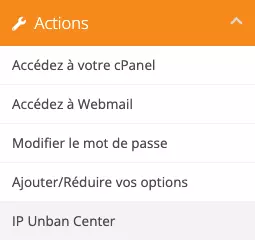
In the left section of the screen, you will find the Actions box. Choose the IP Unban Center option.

2. It’s quick and easy
Click on the padlock icon to access the IPv4 address unblocking feature.
Copy and paste the IPv4 address that appears on this web page into the designated field and click the green button.
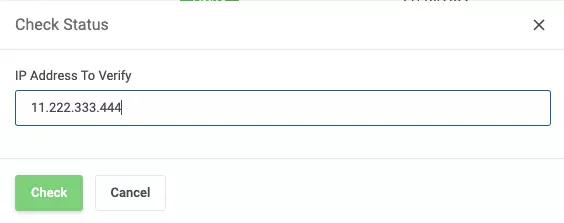
The system will tell you if your IP address is blocked and why.
Need assistance, contact us!
We support you on your digital journey.
HOW FAR WILL YOU GO?